Carpools
Share rides with your network: post departure, destination, and seats; others can request a seat or search for matches.
Offer a ride
From the Rides section, create a ride with start area, destination, departure time, available seats, and optional message. Riders in your circles (or visibility rules for your build) can see and request seats.
Join a ride
Open a ride card, review details, and tap to request a seat. The driver can accept or decline. You’ll see pending state on the card until it’s resolved.
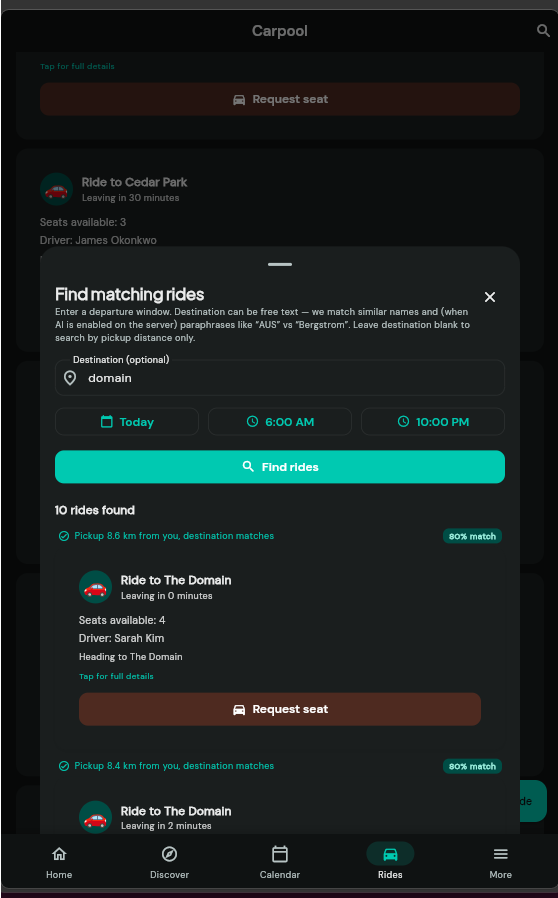
Find matching rides
Use Find matching rides to set an optional destination and a time window. Results use your current location as the pickup reference.
Destination filter: If you enter a destination, only rides whose destination text matches are shown—unrelated nearby rides are not listed so you don’t get misleading “matches.”
Close the panel anytime with the X in the header or by dragging the sheet down.